Brain dump: getting everything out of your head
The Brain Dump is one big pad you empty your head into all day. When you are ready, Thinker sorts it into tasks, projects and ideas so you can stop carrying it. This is how to use it, how to sort it, and where your old dumps live.
Updated 7 Sep 2026
Questions this answers
- What is the Brain Dump in Thinker?
- It is the home page: one big pad you empty your head into all day, tasks, worries, ideas and half-thoughts, in any order. It saves itself as you type and you can dictate with the mic.
- How do I turn a brain dump into tasks?
- Press Process my Brain Dump. Thinker reads the lot and pulls out tasks, projects and ideas, then shows you a review page so you can see nothing was lost. Everything on that page is already live in your system.
- Can Thinker sort my brain dump automatically?
- Yes. On the AI Agents page, schedule the Brain dump sort agent for overnight and you wake up to it already sorted into tasks, projects and ideas.
- Where do my old brain dumps go?
- Nothing is thrown away. The Past brain dumps link at the bottom of the page lists your last thirty, newest first, each marked Sorted once Thinker has been through it.
The Brain Dump is the home page, and it is deliberately the first thing you see. It is one big pad that lives there all day. Everything on your mind goes in it: tasks, worries, ideas, half-thoughts, the thing you keep forgetting at 3am.
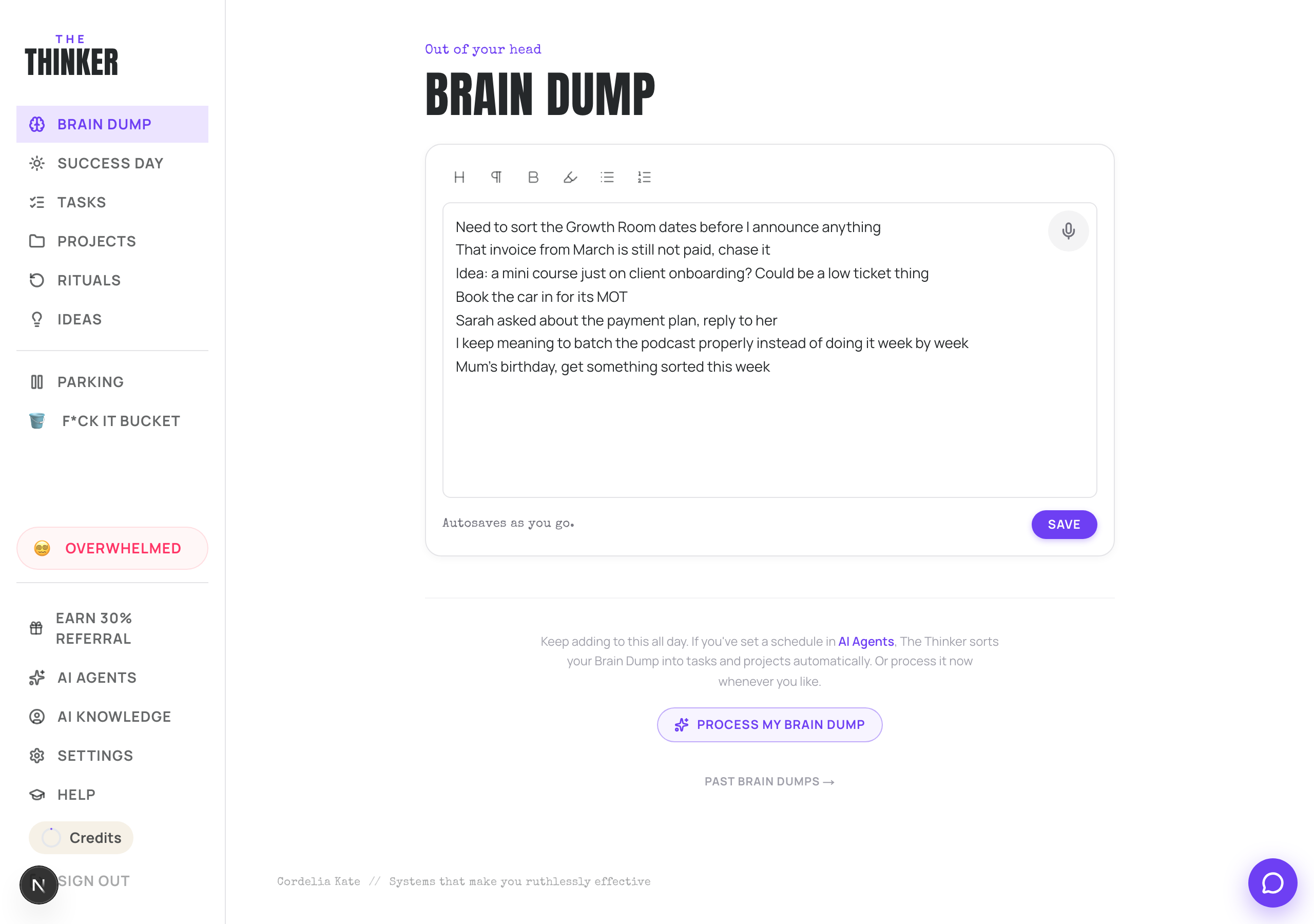
Just write
- It saves itself as you type. You will see Autosaves as you go, then Saved.
- Add to it all day. You do not need to finish in one sitting.
- Tap the mic in the corner of the pad to talk instead of type.
- There is a small toolbar for headings, bold, highlight and lists if you want them, but you really do not need to tidy anything.
Turning the dump into a plan
- 1When you have finished, press Process my Brain Dump.
- 2Give it a moment. It reads the lot and pulls out tasks, projects and ideas.
- 3The pad clears itself, which is the point. Your words are kept safely, they are just no longer in your face.
- 4A purple box appears saying Sorted out of your head. Press Review and sort what I pulled out.
Reviewing what it found
The review page shows you the projects, tasks and ideas it created, so you can see nothing was lost. Everything on that page is already live in your system. Sorting does not save it, it only tidies it.
Press Sort through these tasks and you get a swipe deck. Swipe right to keep, swipe left for the F*ck It Bucket. Tap a card to set how much it lights you up and how long it will take. When the deck is empty, you are done.
Doing it automatically
If you dump most evenings, go to AI Agents and schedule the Brain dump sort agent for overnight. You wake up to it already sorted.
Finding an old dump
At the bottom of the page there is a Past brain dumps link. Your last thirty are listed there, newest first, each one marked Sorted if Thinker has already been through it. Tap one open to read it back exactly as you wrote it. Nothing you dump is thrown away.
If a save ever fails
You will see a message telling you your words are safe on this device and that it is retrying. They are. Refresh the page when it asks you to and nothing is lost.
More in Your day
Did that not answer it? Ask Thinker in your own words.
Ask a question