Rest days and lighter days
Tell Thinker when you are off or need a gentler day and it stops planning for you, pauses your rituals, and does not mark anything as missed. How to set them and what actually changes.
Updated 8 Aug 2026
Questions this answers
- How do I tell Thinker I am on holiday?
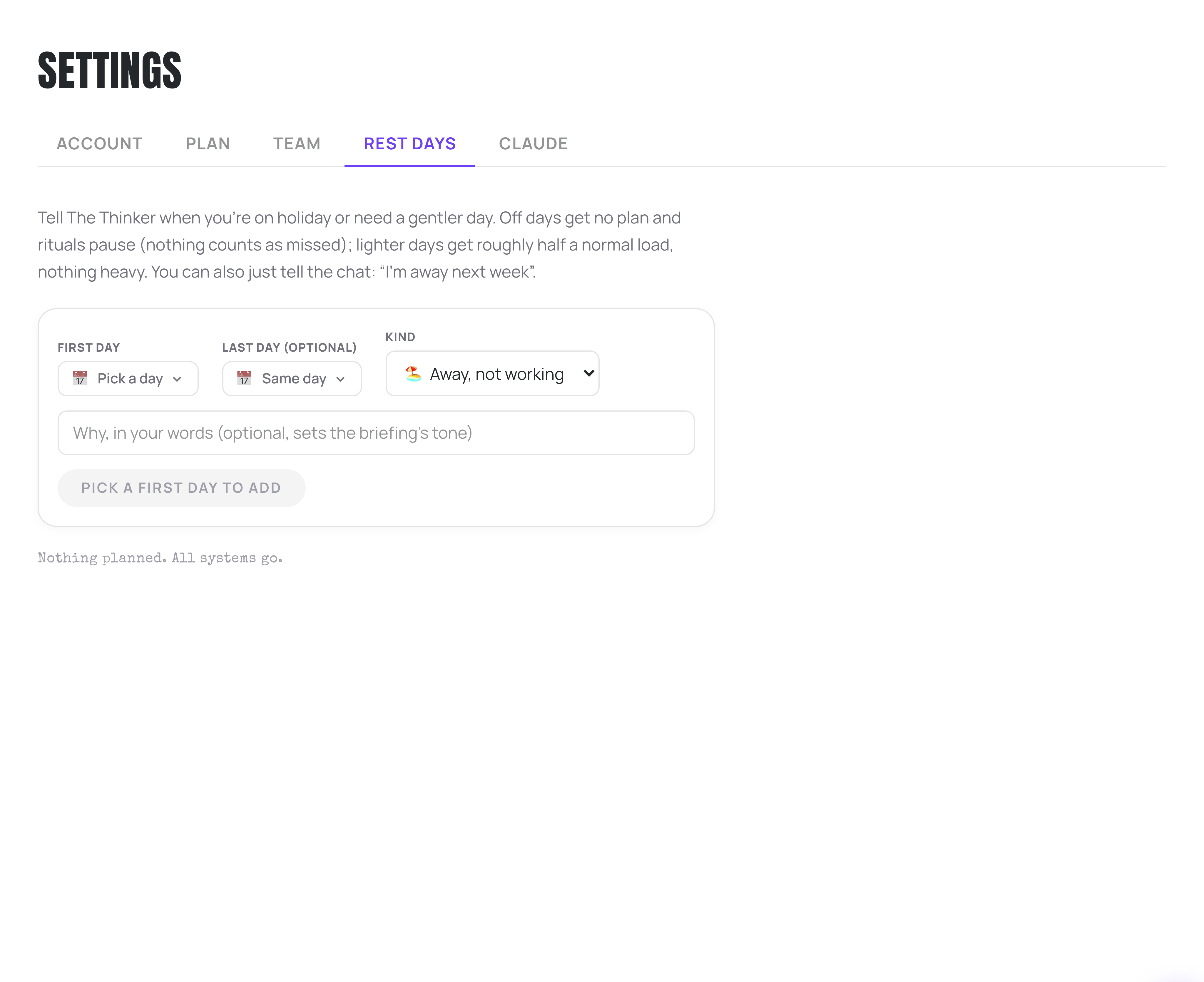
- Settings, then the Rest days tab: pick the first and last day, choose Away, not working, and press Add rest days. Or just tell Thinker in the chat that you are away next week.
- What happens to my rituals and tasks on a rest day?
- Your Success Day is replaced by a rest screen, rituals pause with nothing marked as missed, and your tasks keep exactly as they were. Nothing is lost or rescheduled behind your back.
- What is a lighter day?
- You still get a day, but roughly half a normal load and nothing heavy, with a strip at the top saying that is on purpose. Good for the day after a launch, a day you are ill but not that ill, or a day full of school things.
A planning app that keeps building you a day while you are on a beach is a planning app you will start ignoring. Tell Thinker you are off and it genuinely leaves you alone.
Setting them
- 1Go to Settings and open the Rest days tab.
- 2Pick a first day, and a last day if it is more than one.
- 3Choose the kind: Away, not working, or Lighter day.
- 4Optionally say why, in your own words. It sets the tone of your briefing.
- 5Press Add rest days.
Upcoming rest periods are listed underneath with a Cancel button if plans change.
What Away actually does
- Your Success Day is replaced by a rest screen. No plan, no list, nothing to feel bad about.
- Rituals pause. Nothing is flagged as missed for those dates, so your history stays honest.
- Your tasks keep. Nothing is lost or rescheduled behind your back.
What a Lighter day does
You still get a day, but a deliberately gentle one. Roughly half a normal load and nothing heavy. A strip at the top of the page reminds you that is on purpose.
Good for the day after a launch, the day you are ill but not that ill, the Friday before a holiday, or a day full of school things.
Coming back early
The rest screen has a link straight to your rest day settings. Cancel the period and your normal day comes back.
More in Set-up and help
Did that not answer it? Ask Thinker in your own words.
Ask a question